
How to Download/Print a fax
You have the option at any time to download/print a copy of any sent or received fax from your fax history.
Login to your account at fax.nhvtcloud.com
Click "History" on the left side panel
Click the 3 dots on the row of the fax you want to download/print.
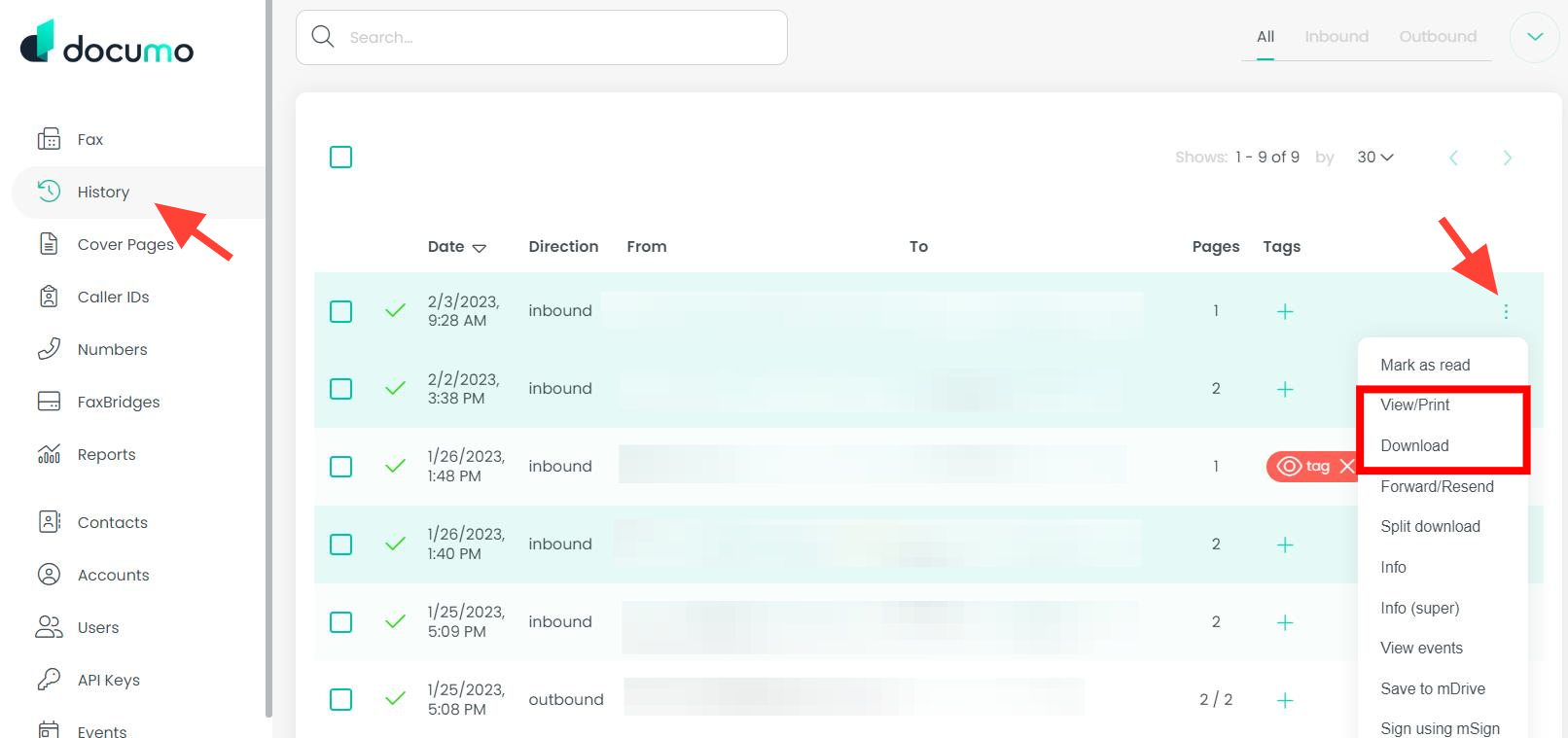
To print, click the View/Print option and then click the Print button after the fax opens.
To download, click the Download option and the fax will instantly download as a PDF.